

Setting up a home NAS changes how a household handles photos, backups, and shared files. The right drive or enclosure turns a stack of scattered folders into one dependable place the whole family can reach. This roundup walks through nine solid options, from full enclosures ready to load with drives to bare internal hard drives built for 24/7 duty, so you can match capacity, speed, and budget to the way your home actually works.
Your Options, Compared

TERRAMASTER F4-425 Pro NAS 4-Bay

Western Digital 6TB WD Blue HDD (WD60EZRZ)

Western Digital 6TB WD Blue HDD (WD60EZAZ)
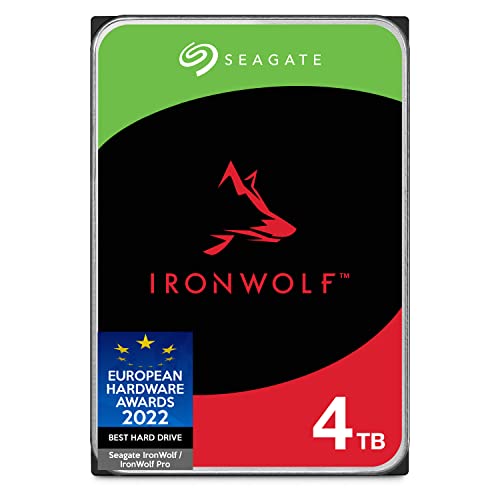
Seagate IronWolf 4TB NAS HDD

Western Digital 4TB WD Blue HDD (WD40EZRZ)

TERRAMASTER F8 SSD Plus NAS 8Bay

TERRAMASTER F2-425 Plus NAS 2-Bay

TERRAMASTER F4-424 Pro NAS 4-Bay

TERRAMASTER F2-425 Plus NAS 2-Bay (N95)
A Closer Look At Each Pick
The TERRAMASTER F4-425 Pro is built for homes that treat storage like a small business. Its 7W Intel N350 8-core CPU draws very little power for what it delivers, and 16GB of DDR5 memory keeps file transfers, backups, and even light virtualization running without bottlenecks.
Dual 5GbE network ports (5GbE means a network jack that can move roughly five gigabits per second, about five times faster than a typical home gigabit port) can be bonded together to push throughput up to around 1020MB/s, which translates to a 50GB folder landing on the NAS in well under a minute on a wired network. Three M.2 NVMe slots let you drop in SSD cache for hot files, so opening a large media library feels nearly instant.
Notable Upsides
- Dual 5GbE ports deliver roughly 10Gb of combined bandwidth for fast multi-device access
- Three M.2 NVMe slots accelerate arrays, shaving seconds off large file opens
- Low-power 7W CPU keeps electric costs down during always-on operation
- 16GB DDR5 handles transcoding, backups, and Plex-style media duties smoothly
- Diskless design lets you pick drives that match your capacity and budget
Points To Note
- Diskless means separate drive purchases, which adds to the total setup cost
- 5GbE networking requires a compatible switch or router for full speed
Feature Snapshot
Made For
Households streaming 4K media, running backups for several computers, or dabbling in home virtualization.
Consider Something Else When
The TERRAMASTER F2-425 Plus (N95) is a quieter, lower-power match if you only need to back up a couple of computers and don’t need 10Gb-class networking.
The WD Blue 6TB is a familiar name in home towers for good reason. Running at 5400 RPM with a 64MB cache, it stays cool and quiet enough to drop into a small NAS enclosure without sounding like a desk fan on high.
For a home that mainly wants one or two reliable drives holding photos, documents, and downloads, the WD60EZRZ is a straightforward 6TB per drive in a 3.5-inch form factor (the standard size for desktop NAS bays and full-size PC cases). SATA 6Gb/s interface (the standard connector and maximum data path used by modern internal drives) keeps it compatible with virtually every NAS enclosure on the market, including the TERRAMASTER units elsewhere on this list.
Well-Handled Touches
- 5400 RPM spindle speed keeps noise and heat low in a home office
- 6TB per drive gives meaningful room for family photos and video libraries
- SATA 6Gb/s interface works in nearly every modern NAS enclosure
Worth Noting
- Not rated for heavy 24/7 NAS duty like purpose-built NAS drives, so you may see shorter life in an always-on enclosure
- 64MB cache is modest versus the newer WD60EZAZ reviewed next
Who It Suits Best
Home builders putting together a small two- or four-bay NAS for backups and media, where quiet operation matters more than peak throughput.
Look Elsewhere When
The Seagate IronWolf 4TB is a stronger pick if you run a multi-bay RAID array (a setup that spreads data across multiple drives for redundancy) that stays powered on around the clock.
The WD60EZAZ is the refreshed sibling of the WD60EZRZ, keeping the same 6TB capacity and 5400 RPM class but jumping the cache to 256MB. That extra cache helps when several family members pull files from the NAS at once, which is exactly the kind of multi-user access this drive was quietly designed to handle.
It’s still a 3.5-inch drive, still SATA 6Gb/s, and still a WD Blue, so installation in any of the TERRAMASTER enclosures above is a drop-in affair. The bigger cache makes the drive feel more responsive during simultaneous reads, which is one of those upgrades you don’t notice until several people are streaming from the same library.
What Earns Its Place
- 256MB cache improves multi-user responsiveness compared to the older WD60EZRZ
- Same 6TB capacity keeps your storage math simple
- 3.5-inch form factor fits every standard NAS bay in this roundup
- Cool, quiet operation suits living-room and bedroom enclosures
Things To Consider
- Still a desktop-class drive, not rated for the constant vibration of a multi-bay NAS
- Performance gains over the WD60EZRZ are most visible only with several concurrent users
Right Fit For
Families sharing a NAS across phones, laptops, and smart TVs where multiple streams hit the array at the same time.
Reach For A Different Pick When
The Seagate IronWolf 4TB is purpose-built for always-on RAID work and may outlast a WD Blue in a busy multi-bay box.
The IronWolf is the drive on this list that was genuinely designed for NAS duty. CMR recording (Conventional Magnetic Recording, the traditional way of writing data to a drive that holds up well in RAID arrays, as opposed to the slower SMR method) means consistent write speeds even under sustained load, which matters when you’re rebuilding a RAID array or doing nightly backups.
At 5900 RPM with a 64MB cache, it balances speed with the kind of vibration tolerance multi-bay enclosures need. It’s rated for use in up to 8-bay NAS systems, so dropping one into a TERRAMASTER F4 or F8 enclosure is well within its wheelhouse. Seagate’s IronWolf Health Management also gives the NAS app extra telemetry to warn you before a drive fails.
Practical Pluses
- CMR recording holds up under sustained writes and RAID rebuilds
- Rated for 24/7 operation in multi-bay NAS enclosures up to 8 bays
- Vibration sensors help larger arrays stay stable and quiet
- IronWolf Health Management gives early warning on drive health
Trade Offs
- 4TB is smaller than the 6TB WD Blues if you want maximum storage per bay
- Costs more per terabyte than a general-purpose desktop drive
Quick Facts
Best Suited To
Anyone running a multi-bay RAID array who wants a drive explicitly built to live inside a NAS 24/7.
Skip It When
The Western Digital 6TB WD Blue (WD60EZAZ) gives you more capacity per bay for less money in a small two-drive setup that doesn’t run constantly.
The WD40EZRZ is the gentle entry point into a home NAS. 4TB per drive is plenty for a household archive of family photos, work documents, and the occasional 4K video project, and the lower cost makes it easier to start with a two-drive mirror and expand later.
It runs at 5400 RPM with a 64MB cache, the same recipe as the larger WD Blues, and uses the same SATA 6Gb/s interface. For a first-time NAS setup in a TERRAMASTER F2-425 Plus, two of these drives in a mirrored configuration (where the second drive is a real-time copy of the first, so you don’t lose anything if one drive fails) gives you 4TB of usable space with redundancy, which is the kind of safety net most home users actually need.
Why It Works Well
- Lower cost per drive makes a mirrored two-bay setup affordable for first-timers
- 5400 RPM spindle keeps the drive cool enough to live in a closet or under a desk
- 4TB per drive hits a sweet spot between capacity and price
- SATA 6Gb/s interface matches every enclosure on this list
Honest Caveats
- Not NAS-rated, so heavy 24/7 use may shorten its lifespan compared to the IronWolf
- 4TB caps your per-bay capacity below the 6TB WD Blue options
Perfect Match For
First-time home NAS builders who want dependable storage without overspending on capacity they won’t fill.
A Better Fit Elsewhere
The Seagate IronWolf 4TB is the smarter long-term choice for an always-on multi-bay array, since it’s explicitly rated for that workload.
The F8 SSD Plus is the outlier of the roundup, and that’s exactly the point. It’s an all-SSD NAS enclosure with eight SSD bays, designed for homes that want the silence and speed of flash memory without giving up the storage density of a larger box.
An Intel Core i3-N305 8-core processor with 16GB of DDR5 memory powers everything, and a 10GbE port (a single network jack capable of ten gigabits per second) delivers transfer speeds up to roughly 1024MB/s. Compared to the F4-425 Pro, this enclosure swaps spinning drives for SSDs entirely, which means near-silent operation and much faster random read performance for things like photo libraries and app containers.
Benefits That Matter
- All-SSD design runs silent, ideal for living spaces and offices
- Eight bays give plenty of room to scale storage over time
- 10GbE port keeps transfers brisk for video editors and large backups
- Core i3-N305 CPU handles virtualization and transcoding with room to spare
Points To Keep In Mind
- SSD-only design means higher total cost once you fill eight bays with drives
- 10GbE networking requires a compatible switch to fully exploit the bandwidth
Feature Card
Whose Shelf It Belongs On
Power users editing 4K video, running home servers, or hosting virtual machines who want SSD speed and capacity in one box.
Where A Sibling Pick Shines
The TERRAMASTER F4-425 Pro is a more balanced choice if you want a quieter entry into multi-bay NAS without committing to an all-SSD build.
The F2-425 Plus is the smallest TERRAMASTER on the list, and it packs more than you’d expect into a two-bay enclosure. The Intel N150 quad-core CPU (a low-power chip that can boost up to 3.6GHz for short bursts) and 8GB of DDR5 memory keep backups and media streaming snappy without driving up power use.
Triple M.2 SSD slots are the surprise here. You can use them as cache to speed up the main hard drives, or as separate SSD pools for fast project folders. Dual 5GbE LAN ports round out a small enclosure that fits comfortably on a bookshelf or beside a router, especially useful in apartments where space and noise both matter.
A Few Strong Suits
- Compact two-bay size fits on shelves and beside routers
- Triple M.2 SSD slots give flexible cache or pool options
- Dual 5GbE ports support link aggregation for faster access
- Low-power Intel N150 keeps running costs down for always-on use
A Few Limitations
- Two bays cap total raw storage well below the four- and eight-bay options
- Diskless means separate drive purchases to factor into the budget
Who Should Grab It
Smaller households or remote workers who mainly need reliable backups and personal media storage without a bulky enclosure.
Swap It Out When
The TERRAMASTER F4-424 Pro is the better fit for households planning to scale into four bays and run heavier workloads like video editing.
The F4-424 Pro is the heavyweight of the 4-bay class. A Core i3-N305 8-core 8-thread CPU boosts up to 3.8GHz, paired with 32GB of DDR5 memory, which is twice what most home NAS units ship with.
Dual 2.5GbE ports handle network traffic briskly, and dual M.2 NVMe slots enable SSD caching for hot data. The bigger memory pool matters most when you’re running multiple apps or VMs on the NAS, or scrubbing through 4K timelines where the OS keeps large files cached in RAM. Compared to the F4-425 Pro, this unit trades a bit of CPU efficiency for more memory and a stronger cache story.
Useful Touches
- 32GB DDR5 handles heavy multitasking, VMs, and large media projects with headroom
- Dual M.2 NVMe slots accelerate hot data and reduce wear on main drives
- Core i3-N305 CPU pushes through transcoding and backups without slowing down
- Four drive bays give a comfortable balance of capacity and redundancy
Worth Bearing In Mind
- 32GB RAM is non-upgradable, so you can’t expand later if needs grow further
- Higher price tag than the F4-425 Pro for a similar feature set on the storage side
Built With In Mind
Creative professionals and serious home users running virtual machines, container apps, or editing media directly off the network.
Not Your Match When
The TERRAMASTER F4-425 Pro is the more efficient choice for homes that want strong 4-bay performance without paying for 32GB of RAM.
The N95 version of the F2-425 Plus slots in as the quietest, most straightforward entry point in the TERRAMASTER family. It uses an Intel N95 quad-core CPU (slightly slower than the N150 in the unit reviewed just above, but still plenty for backup and media duties) and 8GB of RAM.
You still get triple M.2 SSD slots for cache or pool expansion, and dual 5GbE LAN ports for bonded bandwidth. For a household that wants a dedicated backup destination plus a small personal media library, this enclosure keeps the setup simple and the electric bill gentle.
The Helpful Details
- Triple M.2 SSD slots add useful cache or pool flexibility on top of two drive bays
- Dual 5GbE LAN ports offer room to grow into faster networking later
- 8GB RAM is comfortable for backups, syncing, and basic media streaming
- Compact enclosure fits on a bookshelf without dominating the room
Soft Spots
- Two bays limit total raw capacity compared to four- and eight-bay siblings
- Intel N95 trails the N150 in CPU-heavy tasks like simultaneous transcoding
The Right Fit
Backup-focused homes that want a small, quiet NAS for nightly computer backups and a modest media library.
Where Another Pick Suits Better
The TERRAMASTER F2-425 Plus (N150) is the smarter upgrade for households streaming to several TVs and running apps on the side.
What Matters Most Before Choosing A Home NAS Drive
Capacity Per Bay Vs Total Bays
More bays give you redundancy and room to grow, while higher-capacity drives fill each bay with more storage. A two-bay enclosure loaded with 6TB drives gives you 6TB usable in a mirror, while a four-bay box loaded with the same drives gives you 18TB usable. Match the bay count to your realistic growth over the next three to five years.
Drive Class: Desktop Vs NAS-Rated
Desktop drives like the WD Blue series are cheaper and perfectly fine for light home use. NAS-rated drives like the Seagate IronWolf are built for 24/7 operation and vibration tolerance in multi-bay boxes. You may find a desktop drive lasts years in a quiet two-bay setup, but the IronWolf’s purpose-built design adds peace of mind in busier arrays.
CPU And Memory For The Apps You Run
A NAS that just stores files barely needs any CPU, but a NAS that streams 4K media, runs backups, and hosts apps benefits from more memory and a faster processor. The TERRAMASTER enclosures here range from the modest N95 up to the i3-N305 with 32GB of RAM, so match the silicon to your workload rather than overbuying.
Network Speed And Future Proofing
A 1GbE network port is the bottleneck for many home NAS setups. Dual 5GbE or a single 10GbE port gives you roughly five to ten times the throughput, which matters for large file transfers and 4K media streaming. If your switch and router don’t yet support these speeds, your NAS can grow into the bandwidth later.
Smart Considerations Before You Decide
Common Buying Slip Ups
A frequent trap is buying the cheapest 3.5-inch drive without checking whether it’s rated for NAS duty. In a busy multi-bay box, vibration and constant writes shorten the lifespan of desktop drives faster than most shoppers expect. Another mistake is underestimating future storage needs and ending up with a two-bay box that’s full within a year, forcing an awkward migration.
Where The Extra Money Goes
Higher-tier NAS enclosures earn their cost with faster CPUs, more memory, SSD cache slots, and multi-gig networking. For a household that only runs nightly backups, those extras are overkill. For a household streaming 4K, running virtual machines, or editing video directly off the NAS, the extra horsepower keeps the experience smooth and is well worth the difference in price.




